


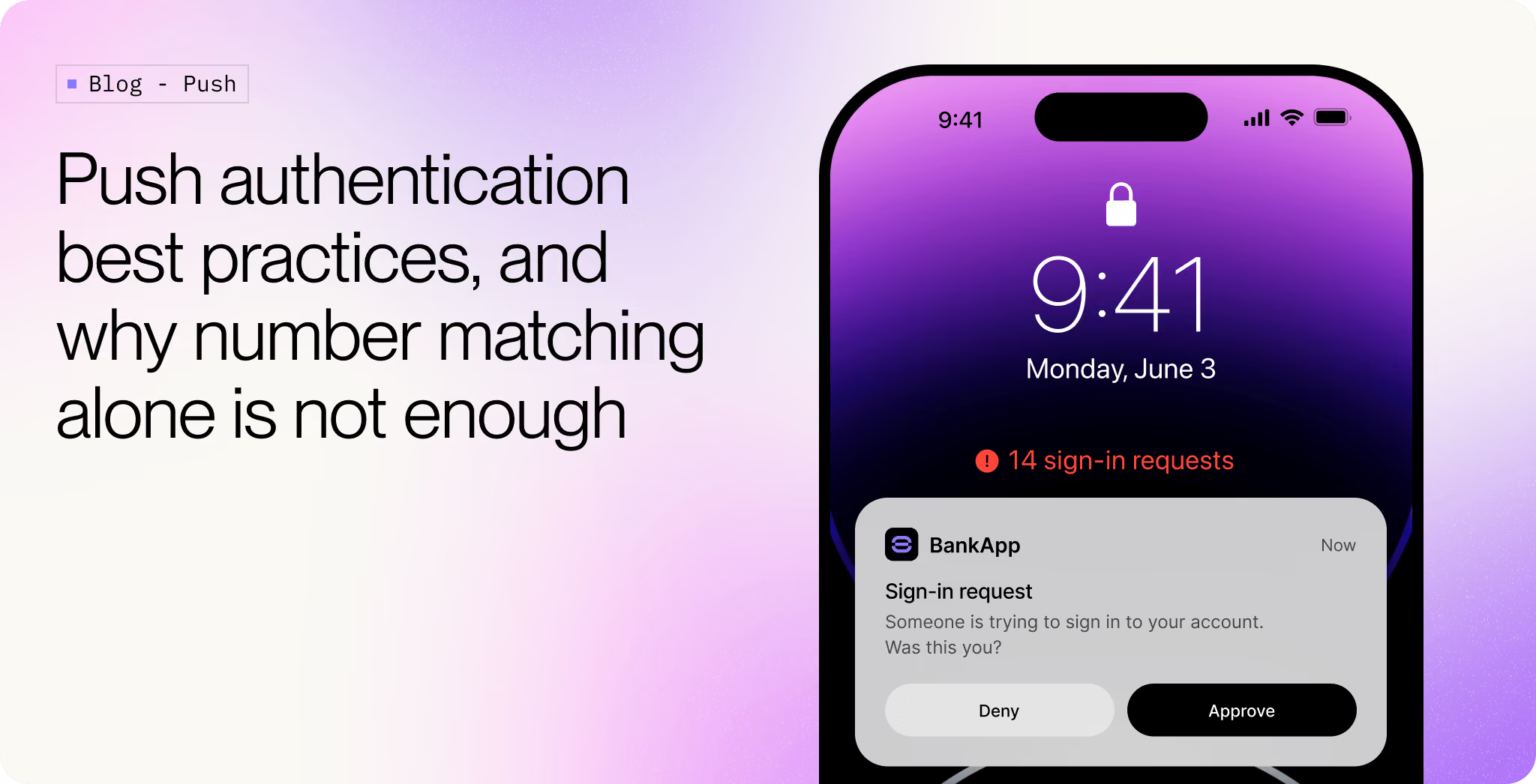
In September 2022, an attacker bought an Uber contractor's password off a dark web marketplace. The password worked. MFA stopped them. So they kept signing in. The contractor's phone lit up with push prompts, one after another, late at night. The contractor denied them. The attacker did not stop. After a while, they switched channels: a WhatsApp message that read, roughly, "Hi, this is Uber IT. We're fixing a bug, just approve the next one and they'll stop."
The contractor approved. The attacker got VPN access. From there they pivoted into AWS, GSuite, and the company's internal Slack workspace, where they posted a message announcing the breach. Uber's own security update walks through what happened.
The technique has a few names. Push fatigue. Push bombing. Prompt bombing. MFA fatigue. They all describe the same thing: an attacker who already has a valid password triggers MFA push prompts to a user's device repeatedly, until the user approves one to make the notifications stop, or approves one by accident, or is socially engineered into approving one on purpose. The attack works because push prompts are designed to be approved in one tap. Repeated enough times, that design becomes the vulnerability.
That story usually gets told as a parable about why you need number matching. It is, partly. But number matching alone would not have saved Uber, and the reason is worth thinking through before reaching for a fix.
Anatomy of the breach
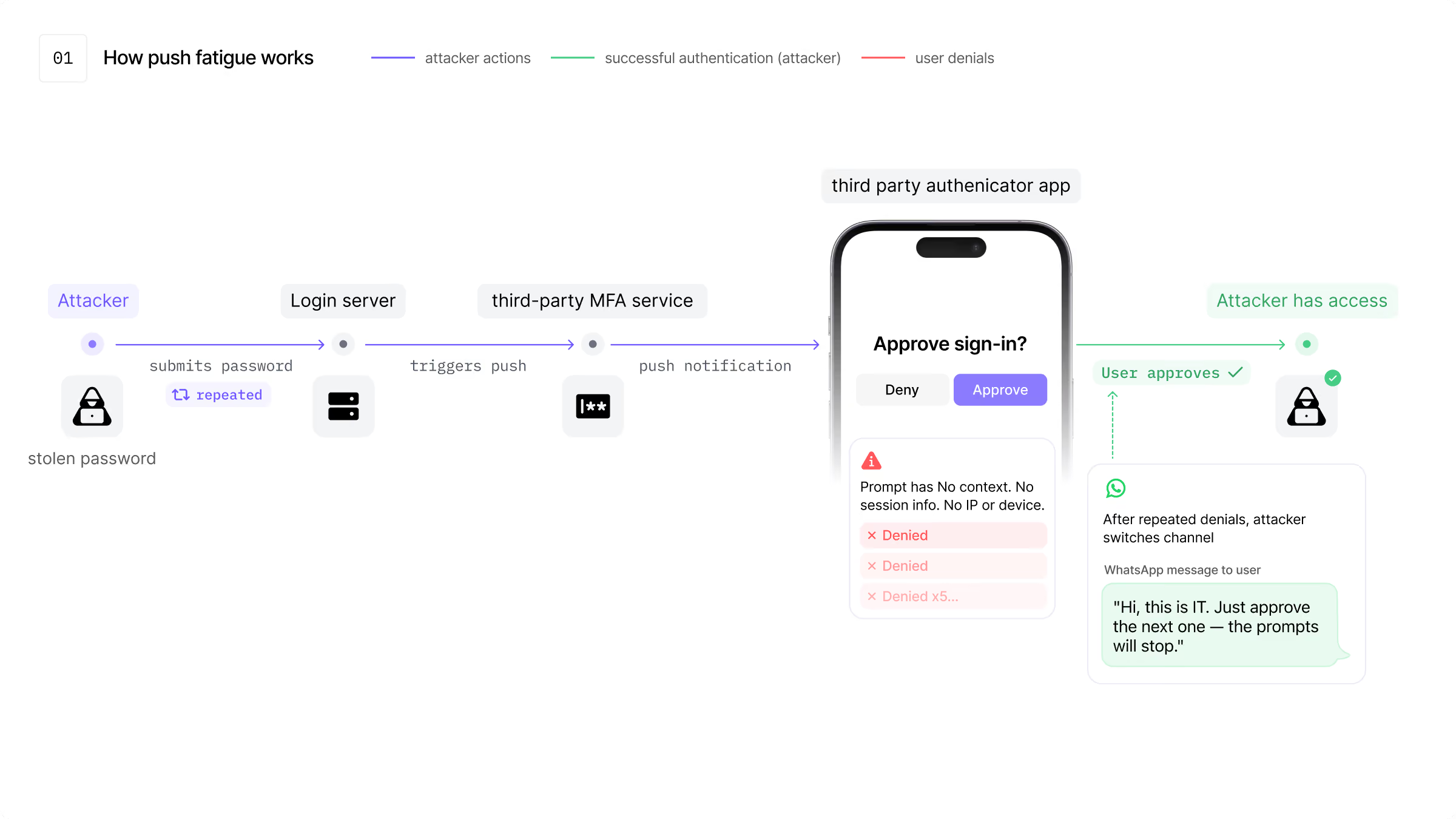
Three things had to be true at once for the attack to work.
The first was a stolen credential. Almost any consumer service has users whose passwords are floating around in a combo list somewhere.
The second was unlimited retries. There was no throttle on the number of MFA prompts the attacker could trigger. Each attempt was treated as if it were the first. No alert fired at 5 denials, no lockout at 20, no escalation to a security team at 50.
The third, and the one most post mortems gloss over, is that the push prompt itself carried almost no context. It said something like "Approve sign in?" with a service name. It did not say where the request came from, what the requesting IP was, what the user agent looked like, or whether the user had any active session anywhere. The prompt was abstract. So when WhatsApp arrived claiming the prompts were a known bug, the contractor had nothing on screen to argue with.
Number matching fixes part of the third problem. If the login screen had shown a code, and the phone had asked for that code, the WhatsApp story would not have worked. The contractor was nowhere near a login screen, so they could not have produced a code even if they wanted to.
But notice what number matching leaves untouched: the unlimited retries, the abstract prompt, the fact that the contractor was being prompted in a third party authenticator app rather than inside a product they had a relationship with. Turning on number matching in 2022 would have raised the bar. It would not have eliminated the class of attack. The same pattern has been used since, against Cisco, against Microsoft, against MGM, with number matching available the whole time.
Why "just turn on number matching" is incomplete advice
Number matching gets recommended a lot, often as the entire answer. The implication is that the protocol is fine, you just needed one extra step.
The protocol is not fine. Push MFA, as commonly deployed, has three architectural problems that survive turning on number matching.
The first is that the user is being asked to authenticate inside an app that is not the app they are using. They open a third party authenticator to approve a login to something else. That gap is what makes social engineering work. The user has no native trust relationship with the authenticator app, only with the product they were trying to log into. So when an attacker manufactures a story about the authenticator misbehaving, the user has no instinct to reject it.
The second is that rate limiting usually sits in the wrong place. It lives on the notification delivery side, not on the challenge creation side. So an attacker can keep issuing challenges. The user keeps seeing them. Throttling the badge count on the phone does not throttle the attack.
The third is that the prompt is decoupled from the session. The phone has no idea whether this challenge is tied to a browser the user has open. The server treats each challenge as if it lives in a vacuum. There is nothing to anchor it to.
Fixing any one of these in isolation gets you a marginal improvement. Fixing all three stops the attack from being viable.
CISA's number matching guidance frames it the same way. CISA describes number matching as an "interim mitigation" for organisations that cannot yet move to phishing-resistant MFA. It is the floor, not the ceiling.
What Authsignal does differently
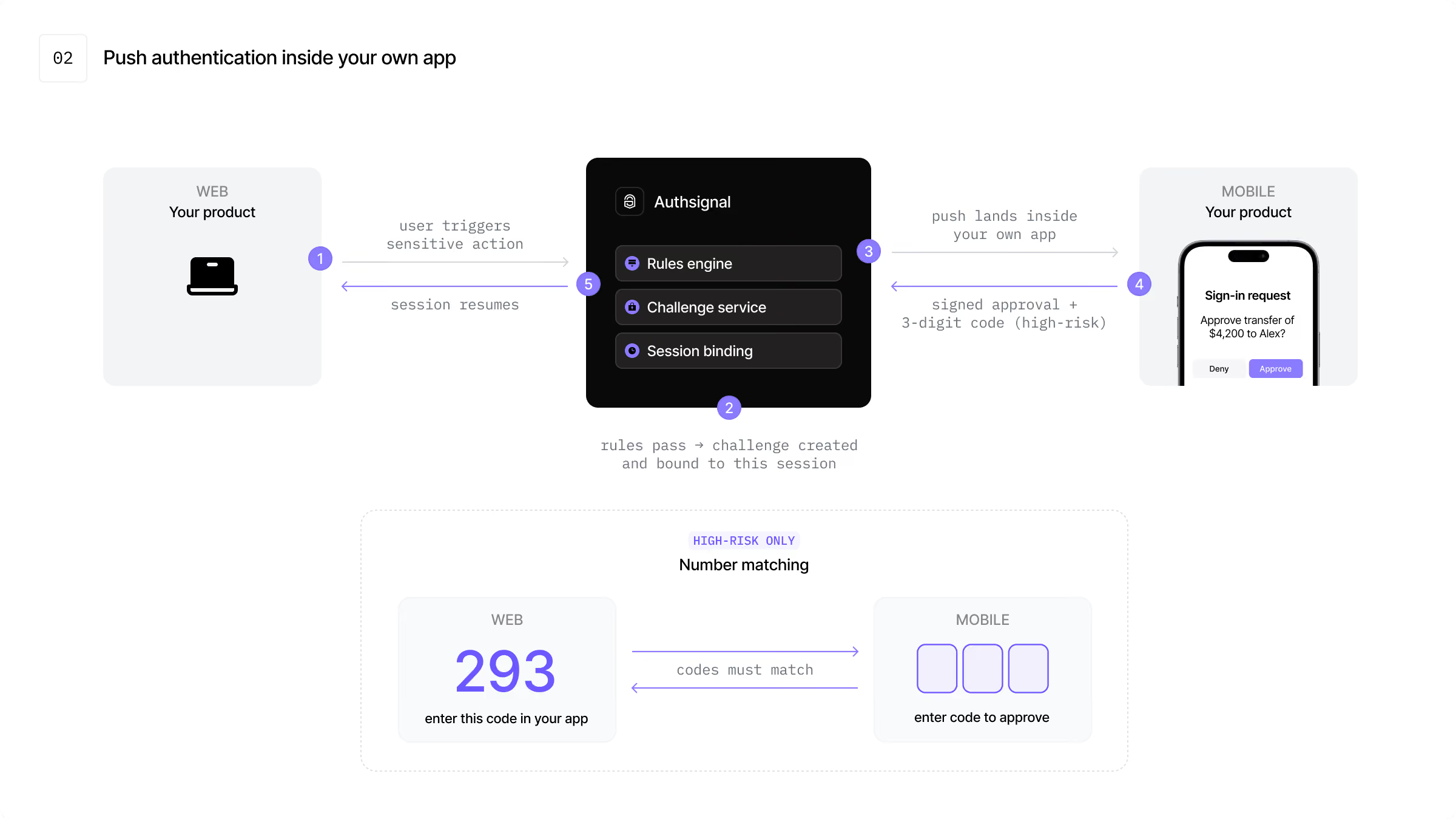
Authsignal's push authentication is not a separate authenticator app. The push prompt lands inside your product, on the device the user already signed in on, signed by a private key that was generated on that device during enrollment and has never left the secure enclave.
That alone removes most of the social engineering channel. There is no Authsignal Authenticator for a user to be confused about. The prompt is in your branded app, with your iconography, alongside whatever else the user uses your product for. If an attacker calls and says "approve the prompt in your bank app," the user is at least operating in a context they recognise. That is a precondition for the rest of the defenses to work, not a complete defense in itself.
The same architectural shift fixes the other two problems.
Rate limiting sits upstream of challenge creation, inside the rules engine. A flood of authentication attempts against the same user surfaces as a flood of denied attempts, not as a flood of notifications. Risk rules can switch the method entirely after a threshold of failures, so the attacker is no longer talking to push at all.
Challenges are bound to the session that initiated them. The phone knows which browser session is asking. If a user is not currently trying to sign in anywhere, an inbound challenge is suspicious by construction. Most legitimate challenges arrive within a few seconds of the user clicking a button. The architecture makes that timing observable, which means it can be acted on.
A side benefit: push notifications are the UX layer, not the security layer. If a notification is blocked, delayed, or the user has notifications turned off, the challenge is still there inside the app, waiting to be resolved by polling. You can suppress duplicate notifications aggressively without breaking the flow. The user gets one prompt, not twenty.
Number matching then becomes a selective tool, not a global switch. Sign in stays one tap. A transaction approval, a password reset, or a withdrawal above a threshold triggers a 3 digit code on the web that the user has to type into the phone. You preserve the UX win of push for the 99 percent of authentications that are low risk, and apply friction only where the cost of a wrong approval is high.
How the number matching flow works
For a high risk action, the principle is straightforward. A short code appears on the web screen that triggered the action. The phone, before it will let the user approve anything, asks for that code. Only the code from the live web session unlocks the approval on the phone.
That last part is what kills phishing. An attacker who is somewhere else, calling the user on WhatsApp, has no way to obtain the code, because the code only exists on the legitimate web session that triggered the challenge. A user who approves the wrong challenge by accident also has no path forward, because the code they would have to type is not on their screen.
The same property holds in reverse. Whatever a user sees on the phone, they can only act on it if they have the matching context in front of them on the web. Approval requires both sides of the flow.
What this means in practice
If you are running push MFA today and you have not turned on number matching, turn it on. It will stop the most basic versions of the attack. Treat it as the floor.
The harder work is the architecture around it. Push prompts inside the product the user already trusts. Rate limiting on challenge creation, not on notification delivery. Challenges that know which session they belong to. Number matching reserved for the moments where the cost of a wrong tap is high.
Number matching answers one specific question: how do we stop blind taps. Push fatigue is a different question. It is what happens when the architecture treats every challenge as an independent event, decoupled from the session, the context, and the rest of the user's behaviour. The fix is to stop doing that.
.avif)
.avif)
.avif)