Platform
Platform
Drop-In Authentication
Passkeys
Phishing-resistant, FIDO2/WebAuthn
Biometric authentication
Face and device-native biometrics
WhatsApp OTP
Global reach, lower cost than SMS
Email OTP
Universal second factor
App push authentication
Native device push notifications
Palm biometrics
Contactless identity verification
All authentication methods
KEY FEATURES
No-code rules engine
Step-up auth, risk policies, alerts
User observability
Audit trails, dynamic linking
Risk-based authentication
Adaptive MFA by context
Session management
Persistent sessions across channels
Digital credentials API
Verify sovereign digital IDs
Pre-built UI
Fastest deployment path
Passkeys
Deploy phishing-resistant passkeys across web and mobile in days
Solutions
Solutions
USE CASE
Account Takeover Prevention
Stop ATO without adding friction
Go Passwordless
Replace passwords with passkeys
Account Recovery
Secure self-service recovery flows
Call Centre Authentication
Verify callers without KBA
SMS Cost Optimisation
Cut OTP costs up to 90%
Existing Apps (Drop-In)
Add auth without re-architecting
Palm biometric payments
Contactless in-store payments
INDUSTRY
Financial Services & Banking
Secure high-value transactions
Healthcare
Authentication for ePHI access
Loyalty Programs
Protect points and member accounts
ROLE
Engineering
Fast integration, flexible SDKs
Product
No-code flows, conversion insights
Cybersecurity
Risk policies, compliance, audit trails
PricingCustomers
Resources
Resources
LEARN
Blog
Guides
Regulatory
Templates
Docs
COMPANY
About Us
Why Authsignal
Partners
Careers
Security
Contact
INTEGRATIONS
Amazon Cognito
Auth0
Azure AD B2C
Custom identity provider
Duende IdentityServer
All integrations
Docs
Start a trial
Book a callLogin
AUS Flag

Authsignal secures millions of passkey transactions out of our hosted Sydney region.

AUS Flag

Authsignal secures millions of passkey transactions out of our hosted Sydney region.

Join us today!
Right icon
Blog
/
Current article
Multi-factor authentication

Considerations for Deploying Multi-factor Authentication

Paul Bickley
⬤
June 24, 2025
Share
Considerations for Deploying Multi-factor Authentication

Authsignal’s guide to minimising customer impact when deploying MFA.

Multi-factor Authentication (“MFA”), has been shown to block 99% of cyberattacks, far outperforming the simple, one-factor password protection. Today, many organisations are being pushed towards implementing MFA to meet compliance measures. Xero’s App marketplace now requires all partners to be MFA compliant. The Australian Tax Office is requiring those digital service providers who connect to their platform must now support MFA for both internal users and customers. From a business’ perspective, it’s a no-brainer to adopt MFA and increase your clients’ security. Across the industry, there has been an increase in consumer fraud and personal loss due to scams, all due to poor security measures and data breaches. Yet, for many website users, the value and safety that comes with passwordless authentication is eclipsed by the UX friction created by having those extra protection measures in place.

Customising Multi-factor Authentication Implementation to Reduce Friction  

As businesses, we should always strive to tailor our services to our customer segment. When it comes to MFA, ethnicity, age group, and income brackets significantly impact customer familiarity and usage rates. For example, 69% of 18-24-year-olds are using MFA, compared with just 36% of those aged 55-64. Depending on your service and your customer, introducing the MFA at the login stage or too frequently may cause too much friction and hinder adoption. For that reason, Authsignal offers the flexibility to be able to deploy MFA anywhere along the customer journey, not just at the login stage. Our MFA software can be installed as a challenge to certain customer actions, as a setup authentication or could be limited to higher risk transferrals where a transaction exceeds a specific size or volume – lessening overall friction points for customers.

Increasing Customer Adoption

Fundamentally, at the core of customer hesitation around MFA adoption is psychological bias. Our ancient Neanderthal brains – which were highly useful in helping us survive centuries of living in the wilderness and escaping predators – just haven’t evolved fast enough to comprehend the unseen risks of the internet. To help adoption, we both need to make sure the MFA is as frictionless as possible, but we also need to harness persuasive language and design in our websites to override those biases. For example, the status quo bias (also known as the psychological inertia effect), means that as human beings, we have developed a preference towards business as usual and are reluctant to make changes if we believe our current systems are working sufficiently well. We understand that underlying this bias is a need to maintain control, which means that when we persuade customers to adopt MFA, we need to increase the stakes of continuing along the same course of action. Instead of promoting how MFA will increase a client’s level of protection, we could subtly reframe the ask as one where a client can opt to ‘keep control’ of their account.
Flexibility

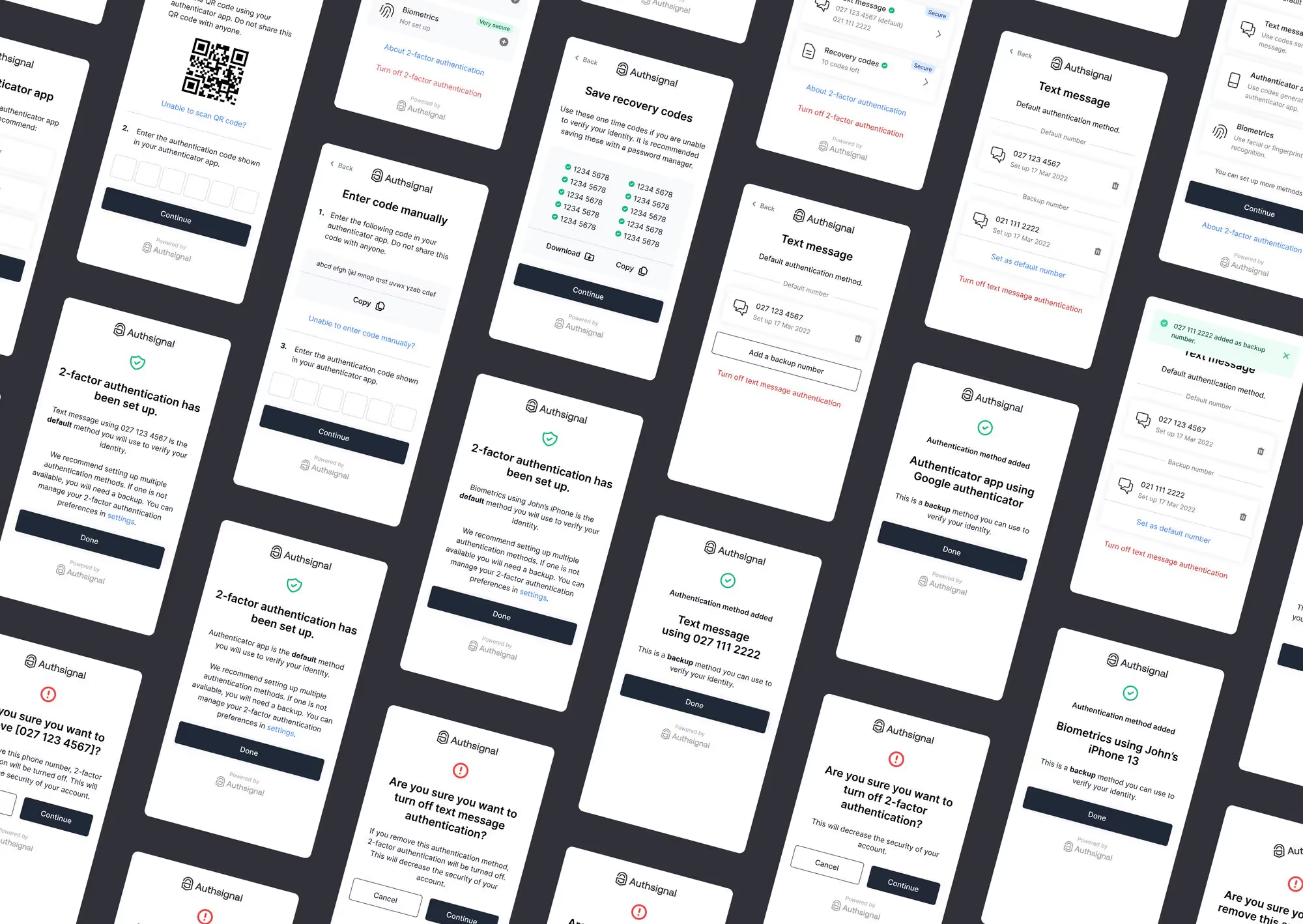
‍Approaching deployment with a flexible pathway to adoption in the early stages of introducing MFA / two-factor authentication is vital to a positive customer experience. Enabling your customers to increase the security of their accounts while not making multi-factor authentication compulsory initially is one approach that can lead to gradual and steady adoption. This approach requires that your MFA vendor supports a flexible deployment. Lastly, consider introducing MFA on a particular flow of your customer journey that is a higher risk or more sensitive touch point. e.g. changing bank accounts or a withdrawal flow. You can leverage in-app messaging, requesting the customer to further enhance the security of their account for withdrawals requiring them to turn on MFA. Click through to learn more on Authsignal’s suite of tools that can help you successfully manage the deployment of set-up authentication.

Question icon
Have a question?
Talk to an expert
NewsletterDemo PasskeysView docs
Multi-factor authentication

You might also like

The passkey UX patterns that drive adoption in 2026
Passkeys
Passkeys implementation

The passkey UX patterns that drive adoption in 2026

July 2, 2026
What is silent network authentication, and how does it work?
Silent Network Authentication
SNA

What is silent network authentication, and how does it work?

June 26, 2026
HIPAA MFA requirements and what to do before the final rule lands
Passkeys
Step up authentication
Adaptive MFA
SMS Alternative

HIPAA MFA requirements and what to do before the final rule lands

July 4, 2026

Secure your customers’ accounts today with Authsignal

Passkey demoCreate free account
Authsignal Purple Logo

Authsignal is a drop-in authentication and orchestration layer for consumer-facing businesses. Passkeys, adaptive MFA, and omnichannel verification on top of your existing identity stack. Deployed in weeks, not quarters.

AICPA SOCFido Certified
LinkedInTwitter
Platform
Drop-In Authentication
PasskeysBiometric authenticationWhatsApp OTPEmail OTPApp push authenticationPalm biometricsSMS OTPEmail OTPMagic LinksAuthenticator apps (TOTP)
View all auth methods
KEY FEATURES
No-code rules engineUser observabilityRisk-based authenticationSession managementDigital credentials APIPre-built UI
All authentication methods
Pricing
Customers
Solutions
USE CASE
Account takeovers (ATO)
Go passwordless
Call center
SMS cost optimization
Existing apps
Palm biometric payments
View all use cases
industry
Financial services
Healthcare
Marketplace
View all use cases
ROLE
Engineering
ProductCybersecurityDocs
Compare
Twilio Verify vs AuthsignalAuth0 vs AuthsignalAWS Cognito vs Authsignal + AWS Cognito
Resources
LEARN
BlogGuidesRegulatoryTemplatesDocs
COMPANY
About usWhy AuthsignalPartnersCareersSecurityContact
Integrations
Amazon Cognito
Azure AD B2C
Duende IdentityServer
Keycloak
Auth0
NextAuth.js
Custom identity provider
All integrations
United States
+1 214 974-4877
Ireland
+353 12 676529
Australia
+61 387 715 810
New Zealand
+64 275 491 983
© 2026 Authsignal - All Rights Reserved
Terms of servicePrivacy policySecuritySystem statusCookies